
BuildWise Designer / Company
Simple pricing for your 3D building designer
Get a demo for pricing. Start with the working designer, then discuss your catalog and website requirements so the setup reflects your business.
Discuss the setup you actually need
A building company with a small garage catalog has different setup needs from a supplier selling multiple structural systems and many regional options. Your software discussion should begin with the products you offer, the price settings you need and how customers will reach the designer on your website.
We are not publishing plan prices on this page. Contact Info@buildwisedesigner.com with your building types and current website, or open the live demo to explore the customer experience first. Do not assume the public building estimates are software subscription prices; they are demo construction estimates.
What to cover in your demo
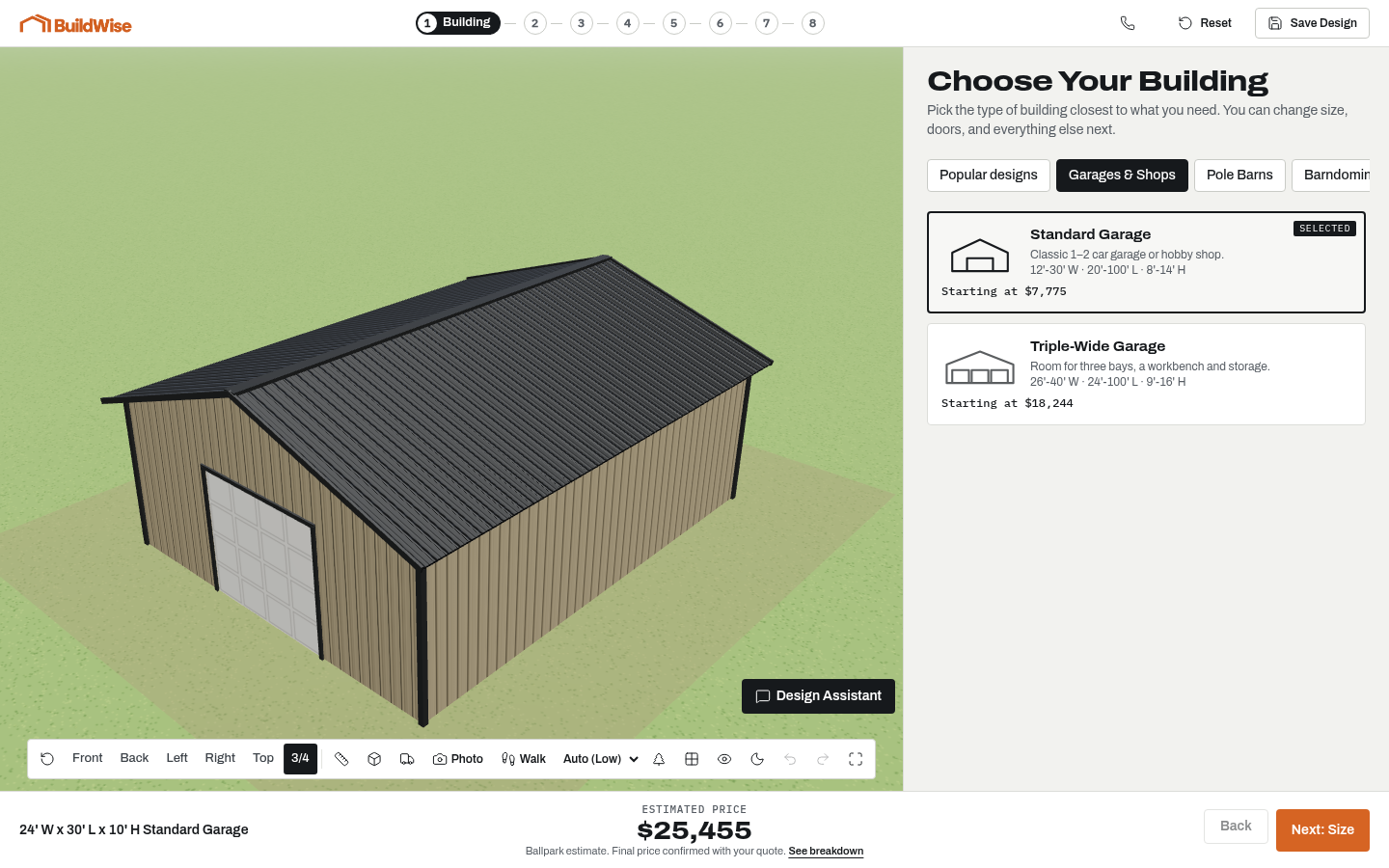
Review the 3D designer, supported catalog choices, starter designs, live pricing and quote-request details. Ask how your branding, material options and common layouts would be configured. Discuss whether the design assistant, photo previews, walkthrough and scale props should be available to your buyers.
Confirm the scope for initial configuration, website integration, updates and support before agreeing to a setup. If you also need a new website, discuss the optional Nova Online Marketing service separately. There is no stated cancellation promise or contract term here; those details belong in your actual agreement.
- Your building models and supported dimensions
- Options and price settings needed for your catalog
- Starter templates and brand presentation
- Website embed or direct-link approach
- Lead review and follow-up process
- Optional tools, updates and support scope
Compare total cost, not a headline rate
Other building-design platforms publish different starting plans, and some separate design from estimating or charge one-time onboarding fees. A monthly figure alone does not establish that two products include the same tools. Check the plan, setup work, catalog support and intended audience together.
Our software comparison links to vendor sources and distinguishes limited promotions from normal published prices. If your business requires drawings, material lists or cut lists, include those requirements early. BuildWise focuses on the customer-facing design and ballpark-price conversation rather than supplying that internal production package.
Frequently asked questions
What does BuildWise cost?
Get a demo for pricing. Contact Info@buildwisedesigner.com with your catalog and website requirements for a discussion of your setup.
How long does setup take?
Timing depends on the completeness of your catalog, pricing, branding and integration requirements. A launch schedule is discussed after reviewing the scope.
Are there contracts or cancellation terms?
Ask for the terms associated with your proposed setup. No cancellation or contract promise is published on this page.
What counts as a lead?
A quote request is an inquiry submitted with customer contact information and design details. It is not a guaranteed sale or a guarantee that the customer meets your qualification criteria.
Can the designer be used on my domain?
It can be embedded on a suitable page of your website or opened through a direct link. Confirm your host supports the embed and test the final customer experience.
Do you build websites too?
An optional done-for-you website by Nova Online Marketing can be discussed alongside the designer. Confirm the website scope and pricing separately.
A building you can see